Newgy Robo-Pong Review: 2055 vs 1055, 2040+ and 3050XL (2026)
In This Article
- Is a Newgy Robo-Pong Worth It?
- The Current Robo-Pong Lineup
- Robo-Pong 2055: The Model Most Players Should Buy
- Digital vs Analog Control
- Net or No Net: 1055 vs 2055
- Robo-Pong 3050XL: App Control and Randomness
- Is the Robo-Pong Made in the USA?
- Warranty and Support
- Setup Tips for Better Sessions
- Which Robo-Pong Suits You?
- Robo-Pong vs Butterfly Amicus and iPong
- Our Verdict on the Newgy Robo-Pong
- Frequently Asked Questions
Is a Newgy Robo-Pong Worth It?
For most home players, yes, and the Robo-Pong 2055 is the model to start with. It combines a digital control box, 64 pre-programmed drills, a 1 to 170 balls-per-minute range and a recycling net that returns your shots to the robot, which covers almost everything a club-level player practices alone.
Newgy's range splits into two simple choices: analog or digital control, and net or no net. The 1055 is a 2055 without the net, the 2040+ keeps the net but uses simpler analog dials, and the 3050XL moves control to a smartphone app. This review compares every current model, explains what the specs mean on the table, and shows where Newgy sits against Butterfly's Amicus and the iPong V300.
Quick Facts
- Maker: Newgy, a family-owned company in Hendersonville, Tennessee
- First Robo-Pong: 1988, after 16 years of development by founder Joe Newgarden
- Fastest feed: 170 balls per minute (1055 and 2055)
- Most oscillation positions: 100 (3050XL)
- Standard support: 1-year limited warranty; 5-year service policy on the 2055, 1055 and 2040+
The Current Robo-Pong Lineup
Newgy's comparison chart lists five models today. The older 540, 2040 and 2050 are still common on the used market, but they have been replaced by the plus and 55-series versions.
| Model | Controls | Balls/Min | Oscillation | Drills | Recycling Net |
|---|---|---|---|---|---|
| 1040+ | Analog box | 26–94 | 8 positions | None | No |
| 1055 | Digital box | 1–170 | 21 positions | 64 | No (add-on) |
| 2040+ | Analog box | 26–94 | 8 positions | None | Yes |
| 2055 | Digital box | 1–170 | 21 positions | 64 | Yes |
| 3050XL | Newgy app (Bluetooth) | 1–120 | 100 positions | 100+ | Yes |
The naming follows a pattern: a "1" model sits on the table and feeds from a bucket, a "2" model adds the recycling net, "40" means analog and "55" means digital. Only the digital and app models support PC mode, calibration and self-diagnostics, and only the 3050XL has randomness control.
What About the 540 and 545?
The 545 is a revision of the older 540, sold as the DONIC Newgy Robo-Pong 545 in Europe and through some international retailers. It does not appear on Newgy's US comparison chart. DONIC lists 13 to 63 balls per minute, an analog control box, a 90-ball bucket and three manually set placement positions, with a Versa-Net in the bundle.
| Product | Best For | Frequency | Spins | Recycling Net | Link |
|---|---|---|---|---|---|
| Newgy Robo-Pong 2055 | Improving players who want digital drills and continuous, net-fed practice | 1–170 balls/min | Top, back, left/right side, combinations | Yes | Details |
| Newgy Robo-Pong 1055 | Players who want 2055-style drills and will collect balls themselves | 1–170 balls/min | Top, back, left/right side, combinations | No (Versa-Net or upgrade kit sold separately) | — |
| Newgy Robo-Pong 2040+ | Players who want continuous feeding without digital programming | 26–94 balls/min | Top, back, left/right side, combinations | Yes | — |
| Butterfly Amicus Start | Buyers who want a three-wheel head and a longer warranty | 11–100 balls/min | 9 types | Yes, plus side net | — |
Robo-Pong 2055: The Model Most Players Should Buy
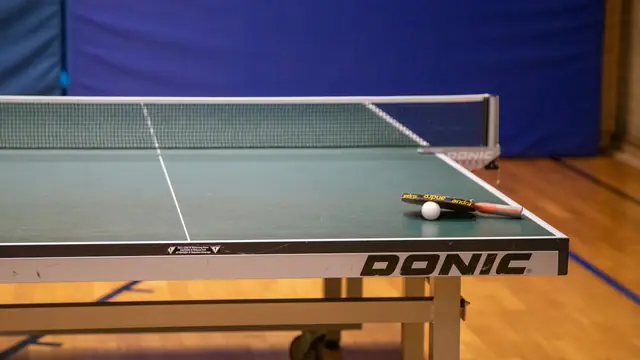
The 2055 clips its recycling net across the end of a regulation table. Set up, it measures 60 by 31 by 18 inches according to Newgy, and the net folds to 14 by 33 by 11 inches for storage. Returned balls roll back into the robot, so a 120+ ball load keeps you hitting rather than collecting.
Digital Control and Drills
The digital control box sets ball speed, frequency and placement precisely, with frequency running from 1 to 170 balls per minute. Newgy lists push, chop, serve, counter, lob and fast-loop shots and topspin, backspin, left and right sidespin and combination spins. The 64 pre-programmed drills cover different playing levels, and Newgy's RP.2.PC software lets you create, save and share custom drills over a USB connection. A PC is not needed for normal use.
Spin and Head Angle
The 2055 uses a single-wheel ball thrower. You change spin type by rotating the head and change trajectory with a manual head angle adjustment, from low for serves to high for lobs. That is the main limitation: unlike a three-wheel robot, it cannot switch from topspin to backspin between balls within a drill.
Pros
- Widest frequency range in the lineup
- Recycling net for continuous play
- 64 drills plus PC-built custom drills
- Full-table 21-position oscillation
Cons
- Spin changed by hand, not per ball
- Wired controller, no app
- No random placement mode
Digital vs Analog Control
Analog models (1040+ and 2040+) use dials for speed, frequency and oscillation. You switch on and play, which suits casual players, juniors and anyone who mainly wants repetition. The trade-off is a 26 to 94 balls-per-minute range, eight oscillation positions and no stored drills.
Digital models (1055 and 2055) add exact, repeatable settings, the very slow 1-ball-per-minute end of the range for beginners, the fast 170-ball end for footwork, 21 positions and the 64-drill library. If you plan to follow structured drills, as described in our ping pong practice guide, digital is worth the step up.
Net or No Net: 1055 vs 2055
The 1055 and 2055 share the same digital box, drills and oscillation. The difference is ball handling. The 1055 sits on top of the table with a ball bucket and extender cage, can be placed anywhere on the surface, and needs no tools to set up. Without a net, every ball you hit has to be picked up by hand.
Newgy offers two ways to close that gap: the Versa-Net for ball capture and manual recycling, and a recycling net upgrade kit for full net-fed operation. Starting with a 1055 and upgrading later spreads the cost, but if you know you want continuous feeding, the 2055 is the simpler purchase.
Robo-Pong 3050XL: App Control and Randomness
The 3050XL is Newgy's top model. It uses a two-wheel ball thrower with oscillation and is controlled through the Newgy app on iOS or Android over Bluetooth, with a Windows app over wired USB. Newgy lists 100 oscillation positions, more than 100 pre-programmed drills, custom drill creation and randomness control, which makes placement less predictable and closer to match play.
Two points to weigh: Newgy's chart lists a 1 to 120 balls-per-minute range, lower than the 2055's maximum, and the 3050XL product page lists a 1-year limited warranty and 30-day return policy rather than mentioning the 5-year service policy. Choose it for the app and random modes, not for speed.
Is the Robo-Pong Made in the USA?
Newgy is a family-owned company based in Hendersonville, Tennessee, founded on the work of Joe Newgarden, who launched the first Robo-Pong in 1988. Some retailer descriptions call the robots US-designed with US-sourced components, but Newgy's own general FAQ states that its factory is located in China. The fair summary is a US company and design, with manufacturing that should not be assumed to be American.
Warranty and Support
The 2055 carries a 1-year limited warranty and a 5-year service policy, and the 1055 and US-sold 2040+ list the same plus a 30-day money-back guarantee. Newgy also sells manufacturer-refurbished units through its own store, which matters for a machine with wheels and motors that wear. If you buy an older 2050 or 2040 used, check that replacement parts are still available first.
Setup Tips for Better Sessions
- Use a full-size table. Net models span the end of a regulation table, so check your space against standard ping pong table dimensions first.
- Use the right balls. Newgy lists 40+ or 40 mm balls for most models and 40+ only for the 3050XL. Keep a dedicated, clean supply; our best table tennis balls guide covers training packs.
- Start slow. Begin with low frequency and light topspin, then raise speed once your stroke is consistent.
- Set the head angle for the shot. Low for serve-like balls, higher for lobs and defensive returns.
- Run calibration. On digital and app models, use the calibration and self-diagnostic functions if feeding drifts.
- Plan for power. Every model runs from an included transformer, so place the table near an outlet.
Which Robo-Pong Suits You?
| Player | Best Fit | Why |
|---|---|---|
| Beginners and families | 1040+ or 2040+ | Simple dials, no programming |
| Improving club players | 2055 | Drills, wide frequency range, net |
| Drill-focused buyers on a budget | 1055 | 2055 controls, add a net later |
| Tech-minded players | 3050XL | App control, 100 positions, randomness |
Robo-Pong vs Butterfly Amicus and iPong
Butterfly's Amicus robots use a three-wheel head that creates any of nine spin types without turning, and Butterfly backs them with a 3-year warranty plus 5-year parts availability. The entry Amicus Start feeds 11 to 100 balls a minute with a recycling net but has no preset drills; the Amicus Prime adds app programming of up to 10 balls per drill. Our Butterfly Amicus review covers the full range.
The iPong V300 sits at the opposite end: a table-top trainer with a wireless remote, 12 to 70 balls a minute, topspin or backspin only and no net. It is a low-cost start; see our iPong V300 review. The 2055 sits between them, with more drills and frequency than the V300 at a lower tier than most Amicus models.
Our Verdict on the Newgy Robo-Pong
The Robo-Pong 2055 remains the most complete Newgy for most players: digital precision, a large drill library and a net that keeps balls coming. The 1055 is the budget route to the same drills, the 2040+ is the no-fuss net option, and the 3050XL is for players who want app control and random placement. For more options across brands, see our best table tennis robots roundup.
Newgy Robo-Pong 2055
Best for: Improving players who want digital drills and continuous, net-fed practice
The 2055 is Newgy's digital, net-equipped robot. It feeds 1 to 170 balls a minute across 21 oscillation positions, stores 64 drills and recycles your returns through its net, which makes it the most complete all-round model in the current Robo-Pong range.
| Frequency | 1–170 balls/min |
|---|---|
| Capacity | 120+ balls |
| Spins | Top, back, left/right side, combinations |
| Shots | Push, chop, serve, counter, lob, fast loop |
| Oscillation | 21 positions |
| Drills | 64 pre-programmed; custom via PC |
| Recycling Net | Yes |
| Controls | Digital control box |
| Support | 1-year limited warranty, 5-year service policy |
Pros
- Very wide frequency range, from slow feeding to fast footwork
- Recycling net returns balls for non-stop play
- 64 built-in drills, with custom drills created on a PC over USB
- Calibration and self-diagnostic functions
Cons
- Spin type changes by turning the head, not ball by ball
- Wired control box rather than an app
- Needs the full width of a regulation table end for the net
Frequently Asked Questions
Which Newgy Robo-Pong Is Best?
For most players the 2055 is the best balance: digital control, 64 drills, 1 to 170 balls a minute and a recycling net. The 3050XL adds app control and randomness, while the 2040+ suits players who only want simple net-fed practice.
What Is the Difference Between the Newgy 2050 and 2055?
The 2055 replaced the 2050 in Newgy's line-up and is the model on Newgy's current comparison chart. The 2050 still appears on the used market, so check that parts and service are available before buying one.
Is the Robo-Pong Made in the USA?
Newgy is a family-owned company based in Hendersonville, Tennessee, and some listings describe the robots as US-designed. Newgy's own general FAQ states that its factory is located in China, so do not assume the robot itself is US-made.
Does the Robo-Pong 2055 Have an App?
No. The 2055 uses a wired digital control box, and custom drills are built with Newgy's PC software over USB. The 3050XL is the Robo-Pong model controlled by the Newgy app over Bluetooth.
What Balls Work Best in a Robo-Pong?
Use 40+ mm plastic balls. Newgy lists 40+ or 40 mm balls for most models and 40+ only for the 3050XL, and includes orange Robo-Balls with US units. Keep the balls clean and consistent for reliable feeding.
Can I Add a Net to the 1055 Later?
Yes. Newgy sells the Versa-Net for ball capture and a recycling net upgrade kit that gives the 1055 full net-fed capability, similar to the 2055.
Sources and References
- Newgy Robot Comparison Chart
- Newgy Robo-Pong 2055 Product Page
- Newgy Robo-Pong 1055 Product Page
- Newgy Robo-Pong 2040+ Product Page
- Newgy Robo-Pong 3050XL Product Page
- Newgy About Us
- Newgy General Questions
- DONIC Robo-Pong 545 Versa-Net Bundle
- Revspin: Newgy Robo-Pong 2055
- Butterfly Amicus Robot Comparison Chart (MegaSpin)